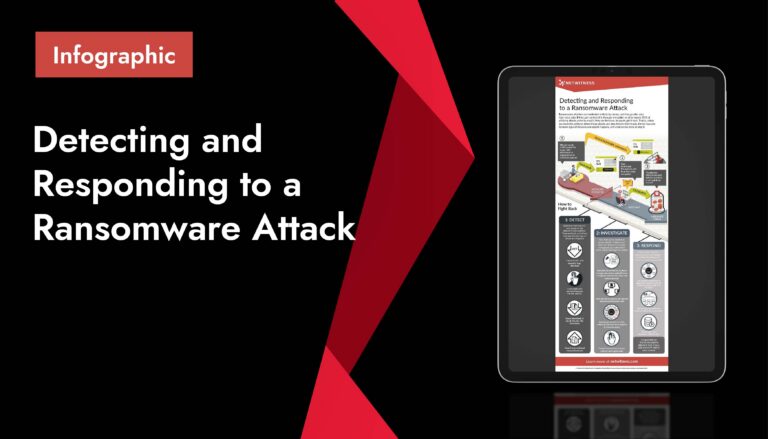
What is Ransomware?
Ransomware is a type of malicious software that blocks access to files, systems, or data until a ransom is demanded. In many modern attacks, ransomware does more than encrypt files: attackers may also steal data, threaten public leaks, launch a DDoS attack, or pressure customers, partners, and employees as part of an extortion campaign.
In cybersecurity, ransomware is one of the most disruptive network security threats because it can combine malware infection, credential theft, file encryption, data exfiltration, business downtime, and reputational damage into a single cyber threat.
Ransomware is malware that is designed to hold digital assets hostage. It may encrypt files, lock users out of devices, disable business systems, or threaten to expose sensitive information unless the victim pays a ransom.
A ransomware attack usually begins with unauthorized access. This access may come from phishing, spear phishing, a malicious email, stolen credentials, exposed Remote Desktop Protocol (RDP), unpatched systems, malvertising, or zero-day vulnerabilities. Once inside the environment, attackers may perform reconnaissance, escalate privileges, move laterally through the internal network, deploy a ransomware payload, and demand payment.
Ransomware in cybersecurity is especially dangerous because it targets availability, confidentiality, and integrity at the same time. A single ransomware infection can make systems unavailable, expose sensitive data, and corrupt or encrypt critical files.
Synonyms
- Doxware
- Leakware
- Hostageware
- Extortionware
- Wiper Ransomware
- Crypto Ransomware
- Locker Ransomware
- Extortion Ransomware
- Encryption Ransomware
- File-encrypting Ransomware
- Data-kidnapping Ransomware
- Triple-extortion Ransomware
- Double Extortion Ransomware
- Ransomware-as-a-Service (RaaS)
Why Ransomware Matters
Ransomware matters because it can stop business operations almost immediately. A successful ransomware attack can prevent employees from accessing applications, lock customers out of services, interrupt production lines, disable healthcare systems, and delay critical public services.
The impact of ransomware can include:
- Operational downtime: Systems, applications, endpoints, and servers may become unavailable.
- Financial loss: Organizations may face recovery costs, ransom demands, lost revenue, legal fees, and higher insurance premiums.
- Data breach risk: Many ransomware groups steal data before encryption and threaten to publish it.
- Regulatory exposure: If personal, financial, healthcare, or confidential data is exposed, reporting obligations may apply.
- Reputational damage: Customers, partners, and regulators may lose confidence in the organization’s ability to protect data.
- Security degradation: Attackers may disable endpoint protection, delete backups, tamper with logs, and create persistent access.
Modern ransomware protection requires more than antivirus protection. Organizations need layered ransomware protection strategies that combine endpoint detection and response, network segmentation, identity security, backups, threat hunting, ransomware incident response, and zero trust ransomware prevention.
How Ransomware Works
A ransomware attack often follows a multi-stage intrusion process. While the exact method varies by attacker and target, many attacks follow a similar pattern.
- Initial Access: Attackers first gain access to a system, account, application, or network. Common entry points include phishing, spear phishing, malicious email attachments, compromised websites, malvertising, exposed RDP services, stolen VPN credentials, weak passwords, and unpatched vulnerabilities.
- Execution and Malware Installation: After access is gained, attackers execute malware or install tools that allow them to control the infected system. This may include a downloader, remote access tool, command and control beacon, or ransomware loader.
- Command and Control (C2): Many ransomware operators use command and control infrastructure to communicate with infected devices, issue instructions, move tools into the environment, and coordinate the ransomware payload.
- Credential Theft and Privilege Escalation: Attackers often steal credentials to expand access. They may dump passwords, compromise administrator accounts, abuse service accounts, or escalate privileges to gain broader control over systems.
- Ransomware Lateral Movement: Ransomware lateral movement allows attackers to move from one compromised system to another. They may use remote administration tools, stolen credentials, RDP, PowerShell, PsExec, or misconfigured network shares to spread through the internal network.
- Data Discovery and Data Exfiltration: Before encryption, attackers may search for sensitive files, customer records, financial documents, intellectual property, legal data, or regulated information. In double extortion ransomware and triple extortion ransomware, data exfiltration is used to increase pressure on the victim.
- Ransomware Encryption Process: The ransomware encryption process is the stage where malware encrypts files or systems so users can no longer access them. The attacker’s ransomware payload may use strong encryption to lock documents, databases, images, backups, and other critical files. This process often involves file encryption, data encryption, file renaming, deletion of shadow copies, backup tampering, and the creation of ransom notes.
- Ransom Demand: After encryption or data theft, the attacker displays a ransom note. The note may include payment instructions, a deadline, a cryptocurrency wallet address, contact details, proof of stolen data, or threats to leak information if the victim does not pay.
- Common Ransomware Attack Vectors: Ransomware can be delivered through many channels. Understanding these vectors helps organizations prioritize ransomware prevention tools and ransomware mitigation controls.
- Phishing and Malicious Email: A malicious email may include a weaponized attachment, fake invoice, malicious link, or credential-harvesting page. Phishing remains one of the most common ransomware delivery methods because it targets human behavior.
- Spear Phishing and Social Engineering: Spear phishing is a targeted form of phishing that uses personalized information to trick a specific user or department. Social engineering may involve impersonating executives, vendors, IT support, or trusted partners.
- Stolen Credentials: Attackers often use stolen usernames and passwords to access email, VPN, cloud applications, RDP, or privileged systems. Multi-factor authentication (MFA) can reduce the risk of credential-based ransomware attacks.
- Remote Desktop Protocol Abuse: Exposed or poorly secured Remote Desktop Protocol (RDP) is a common ransomware entry point. Attackers may brute-force RDP credentials, buy access from initial access brokers, or use stolen credentials to access internal systems.
- Unpatched and Zero-Day Vulnerabilities: Ransomware can exploit known software vulnerabilities or, in rarer cases, zero-day vulnerabilities. A zero-day vulnerability is a flaw that has not yet been patched or publicly disclosed at the time of exploitation.
- Malvertising and Drive-By Downloads: Malvertising uses malicious ads to redirect users to harmful websites or exploit kits. In some cases, users may trigger a ransomware infection simply by visiting a compromised or malicious page.
- Compromised Vendors and Supply Chain Access: Attackers may compromise a vendor, managed service provider, software update mechanism, or third-party integration to reach multiple downstream victims.
- Cloud Misconfigurations: Cloud storage, cloud workloads, and SaaS applications can be affected when attackers compromise credentials, abuse permissions, or access exposed data repositories.
Types of Ransomware
The types of ransomware vary by technique, target, and extortion model. Modern campaigns may combine several ransomware methods in one attack.
- Crypto Ransomware: Crypto ransomware encrypts files so users cannot open them without a decryption key. It is one of the most common forms of ransomware and is often associated with large-scale file encryption and data encryption.
- Locker Ransomware: Locker ransomware blocks access to a device or system interface. Instead of encrypting individual files, it locks the user out of the machine or application.
- File-Encrypting Ransomware: File-encrypting ransomware targets documents, databases, media files, and business-critical data. The attacker typically demands payment in exchange for a decryption tool.
- Double Extortion Ransomware: Double extortion ransomware combines file encryption with data theft. Attackers demand payment not only to unlock systems but also to prevent stolen data from being leaked or sold.
- Triple Extortion Ransomware: Triple extortion ransomware adds another pressure tactic, such as contacting customers, threatening partners, launching a DDoS attack, or targeting executives and employees directly.
- Non-Encrypting Ransomware: Non-encrypting ransomware does not always lock files. Instead, attackers may rely on data theft, public exposure threats, harassment, or other forms of extortion.
- Ransomware-as-a-Service: Ransomware-as-a-Service (RaaS) is a criminal business model where ransomware developers lease tools, infrastructure, or playbooks to affiliates. Affiliates carry out attacks and share ransom proceeds with the operators.
- Wiper Ransomware: Wiper ransomware appears to demand payment but is primarily designed to destroy data. In these cases, recovery may be impossible if backups are unavailable or compromised.
Ransomware vs. Malware vs. Wipers vs. Data Breaches
Ransomware is related to several other cybersecurity concepts, but each has a different meaning.
| Term | Meaning | How It Relates to Ransomware |
| Malware | Malicious software designed to harm, exploit, or control systems. | Ransomware is a type of malware. |
| Malware ransomware | Ransomware campaigns that use malicious software to encrypt, lock, steal, or extort data. | This phrase describes ransomware as a malware-based threat. |
| Virus | Malware that spreads by infecting files or programs. | Ransomware may spread, but it is not always a virus. |
| Wiper | Malware designed to destroy data or systems. | Some wipers pretend to be ransomware but do not provide real recovery options. |
| Data breach | Unauthorized access, exposure, or theft of sensitive data. | Ransomware can become a data breach if attackers exfiltrate data. |
| DDoS attack | An attack that overwhelms systems with traffic. | Some triple extortion ransomware campaigns use DDoS threats to pressure victims. |
| Extortionware | Software or tactics used to force payment through threats. | Ransomware is one form of digital extortion. |
Ransomware Attack Lifecycle
The ransomware attack lifecycle describes the stages attackers often follow from initial access to ransom demand. These ransomware attack stages can also be described as the ransomware intrusion process.
- Reconnaissance: Attackers identify targets, exposed systems, leaked credentials, or vulnerable infrastructure.
- Initial access: Attackers enter through phishing, malicious email, RDP, compromised credentials, or vulnerabilities.
- Execution: Malware, scripts, remote tools, or loaders are executed on the compromised system.
- Persistence: Attackers create methods to maintain access.
- Credential theft: Passwords, tokens, and privileged accounts are harvested.
- Privilege escalation: Attackers gain higher-level permissions.
- Internal network compromise: Attackers map systems, users, servers, and data stores.
- Ransomware lateral movement: Attackers move across the network to reach more valuable systems.
- Data exfiltration: Sensitive data may be copied out of the environment.
- Backup sabotage: Attackers may delete snapshots, shadow copies, or backup repositories.
- Ransomware propagation: The ransomware payload spreads to targeted systems.
- Encryption or lockout: Files, systems, or applications are encrypted or blocked.
- Ransom note: Attackers demand payment and threaten consequences.
- Extortion and negotiation: Attackers pressure the victim through deadlines, leak sites, or direct contact.
- Recovery and remediation: The organization contains the attack, restores systems, and hardens controls.
Early Signs of a Ransomware Attack
Early detection can reduce damage. Common signs of a ransomware attack include:
- Unusual file extensions or renamed files.
- Files that suddenly cannot be opened.
- Ransom notes appearing on desktops or folders.
- Unexpected spikes in file modification or encryption activity.
- Disabled antivirus protection or endpoint protection.
- Deleted shadow copies or backup failures.
- Suspicious PowerShell, RDP, or remote admin activity.
- Unexpected privilege escalation events.
- Large outbound data transfers suggesting data exfiltration.
- Unusual command and control connections.
- Multiple failed logins or suspicious credential use.
- Endpoint detection and response alerts for ransomware behavior.
- Users reporting locked screens, inaccessible applications, or strange pop-ups.
Ransomware detection should combine endpoint telemetry, identity monitoring, network logs, file integrity monitoring, threat intelligence, and behavior-based analytics.
What To Do During a Ransomware Attack
Ransomware incident response should begin immediately once suspicious encryption, lockout, or data exfiltration is detected.
- Isolate Affected Systems: Disconnect infected endpoints, servers, and network segments to stop ransomware propagation. Avoid shutting systems down unless instructed by incident response teams, because volatile evidence may be lost.
- Activate the Incident Response Plan: Notify security, IT, legal, compliance, communications, leadership, and cyber insurance contacts. A clear ransomware response plan helps reduce confusion during a crisis.
- Preserve Evidence: Collect logs, ransom notes, file samples, endpoint alerts, network traffic, and affected system images where possible. Evidence can help with investigation, ransomware removal, legal review, and reporting.
- Identify the Ransomware Strain: Security teams may analyze file extensions, ransom notes, indicators of compromise, command and control behavior, and malware samples to identify the ransomware family.
- Contain the Attack: Ransomware containment may involve disabling compromised accounts, blocking malicious IPs, rotating credentials, segmenting networks, shutting down exposed RDP access, and removing attacker persistence.
- Assess Data Exfiltration: Determine whether sensitive information was accessed or stolen. If data exfiltration occurred, the incident may require breach notification, legal review, and regulatory reporting.
- Restore From Clean Backups: Use verified, clean, offline, or immutable backups for ransomware recovery. Do not restore systems until the attacker’s access path has been removed.
- Communicate Carefully: Coordinate internal and external communications with legal, compliance, leadership, and incident response teams. Avoid making unsupported claims before the investigation is complete.
Should You Pay a Ransom?
Organizations should not treat ransom payment as a guaranteed recovery method. Paying a ransom does not ensure that files will be restored, stolen data will be deleted, or attackers will not return.
Before making any payment decision, companies should involve legal counsel, incident response experts, cyber insurance providers, and appropriate authorities. Payment can create legal, financial, ethical, and operational risks. In some cases, payment may also violate sanctions rules if the recipient is a restricted entity.
A better ransomware protection strategy is to reduce the likelihood and impact of attacks through prevention, detection, containment, tested backups, and resilient recovery planning
How to Prevent Ransomware
Ransomware prevention requires layered controls across users, endpoints, identities, networks, applications, and data.
- Enforce Multi-Factor Authentication: Multi-factor authentication (MFA) helps prevent attackers from using stolen passwords to access email, VPNs, cloud applications, privileged accounts, and remote access tools.
- Secure Remote Access: Restrict and monitor Remote Desktop Protocol (RDP), VPNs, remote admin tools, and third-party access. Exposed RDP should be disabled or protected with strong authentication and access controls.
- Patch Vulnerabilities Quickly: Patch operating systems, applications, browsers, firewalls, VPNs, and internet-facing systems. Prioritize vulnerabilities known to be exploited in ransomware campaigns, including zero-day vulnerabilities when emergency fixes become available.
- Use Endpoint Protection and EDR: Endpoint protection, antivirus protection, and endpoint detection and response (EDR) can detect suspicious behavior such as mass file encryption, credential dumping, ransomware payload execution, and lateral movement.
- Segment the Network: Network segmentation limits the blast radius of ransomware. If one system is compromised, segmentation can prevent attackers from easily reaching domain controllers, backup systems, production servers, and sensitive data stores.
- Apply Least Privilege Access: Limit user and administrator permissions. Remove unnecessary local admin rights, monitor privileged accounts, and use privileged access management where appropriate.
- Back Up Critical Data: Maintain offline, immutable, and regularly tested backups. Ransomware data recovery depends on backups that attackers cannot delete, encrypt, or alter.
- Train Users: Security awareness training should cover phishing, spear phishing, malicious email, social engineering, suspicious attachments, and safe reporting procedures.
- Monitor for Data Exfiltration: Because modern ransomware often involves data theft, organizations should monitor large outbound transfers, unusual cloud downloads, unauthorized access to sensitive repositories, and abnormal user behavior.
- Adopt Zero Trust Controls: Zero trust ransomware prevention assumes no user, device, or session should be trusted by default. It uses identity verification, device posture checks, least privilege access, segmentation, and continuous monitoring to reduce ransomware risk.
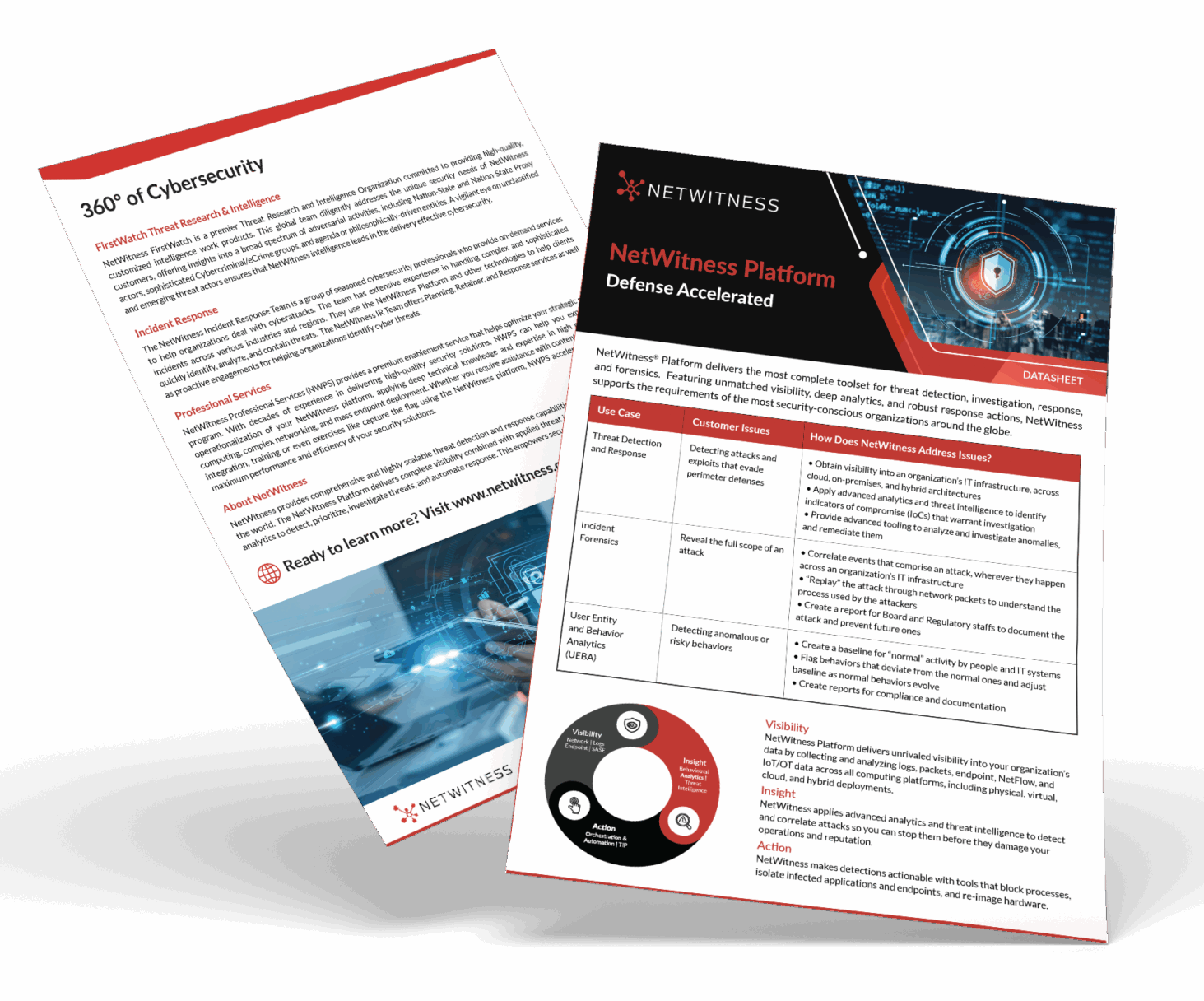
360° Cybersecurity with NetWitness Platform
– Unrivaled visibility into your organization’s data.
– Advanced behavioral analytics and threat intelligence.
– Threat detections and response actionable with the most complete toolset.
Ransomware Detection and Response Tools
Ransomware detection and response tools help organizations identify malicious activity before encryption spreads.
Common tools include:
- Endpoint detection and response (EDR): Detects suspicious endpoint behavior, ransomware payloads, credential theft, and privilege escalation.
- Antivirus protection: Blocks known malware signatures and some malicious files.
- SIEM platforms: Correlate logs from endpoints, servers, firewalls, identity systems, and cloud platforms.
- Network detection and response (NDR): NDR identifies suspicious traffic, command and control activity, lateral movement, and data exfiltration.
- Email security tools: Block phishing, spear phishing, malicious email attachments, and dangerous links.
- Threat intelligence platforms: Provide indicators of compromise (IoCs), attacker infrastructure, ransomware group tactics, and emerging campaign details.
- Backup monitoring tools: Detect unusual backup deletion, encryption, or tampering.
- Vulnerability management tools: Identify unpatched systems and exposed services.
- Ransomware prevention tools: Help block known ransomware behavior, suspicious encryption activity, and unauthorized file changes.
- Threat hunting tools: Support proactive searches for attacker behavior before ransomware deployment.
Ransomware Recovery and Business Continuity
Ransomware recovery is the process of restoring systems, data, operations, and trust after an attack. Ransomware removal is only one part of recovery; organizations must also eliminate attacker access, restore clean systems, validate data integrity, and prevent reinfection.
- Ransomware Removal: Ransomware removal involves identifying and eliminating malicious files, persistence mechanisms, unauthorized accounts, malware loaders, and command and control connections. Removal should be performed carefully to avoid destroying forensic evidence.
- Ransomware Data Recovery: Ransomware data recovery usually depends on clean backups, snapshots, replicas, or decryptors. Backups should be scanned and validated before restoration.
- Rebuild Compromised Systems: In many cases, rebuilding systems from known-good images is safer than simply cleaning infected machines. Rebuilt systems should be patched, hardened, and monitored.
- Rotate Credentials: Assume credentials may be compromised. Reset passwords, revoke tokens, rotate service account secrets, and review privileged access.
- Validate Recovery: Before bringing systems back online, confirm that ransomware payloads, persistence, and attacker access paths have been removed.
- Improve Resilience: After recovery, perform a post-incident review. Update ransomware protection strategies, strengthen network segmentation, improve endpoint protection, test backups, and refine the ransomware incident response plan.
Examples of Ransomware Attacks and Variants
Ransomware variants change over time, but several examples are widely known in cybersecurity.
- CryptoLocker: An early and influential crypto ransomware family that popularized file encryption for ransom.
- WannaCry: A worm-like ransomware outbreak that spread rapidly by exploiting vulnerable Windows systems.
- NotPetya: A destructive malware campaign that appeared similar to ransomware but behaved more like a wiper.
- Ryuk: A ransomware family associated with targeted attacks against enterprises.
- REvil: A ransomware group known for ransomware as a service and double extortion tactics.
- DarkSide: A ransomware group associated with attacks against critical infrastructure.
- LockBit: A ransomware-as-a-service operation known for large-scale affiliate-driven attacks.
- Cl0p: A group associated with data theft, extortion, and exploitation of software vulnerabilities.
Ransomware and Compliance
Ransomware can create compliance obligations when sensitive data is accessed, stolen, encrypted, or exposed. If a ransomware attack involves data exfiltration, it may qualify as a data breach depending on the type of data, jurisdiction, and applicable regulation.
Compliance considerations may include:
- Breach notification requirements.
- Healthcare data protection obligations.
- Financial data security requirements.
- Privacy regulations.
- Critical infrastructure incident reporting.
- Contractual notification duties.
- Cyber insurance reporting.
- Legal review of ransom payment risks.
- Evidence preservation and forensic documentation.
Organizations should involve legal and compliance teams early in the ransomware response process.
Ransomware Best Practices Checklist
Use this checklist to strengthen ransomware protection and ransomware mitigation.
- Enforce multi-factor authentication (MFA).
- Disable or tightly restrict exposed RDP.
- Patch critical vulnerabilities quickly.
- Use endpoint protection and endpoint detection and response.
- Maintain offline and immutable backups.
- Test ransomware data recovery regularly.
- Segment networks to reduce lateral movement.
- Apply least privilege access.
- Monitor for credential theft and privilege escalation.
- Train employees to report phishing and spear phishing.
- Use email filtering and malicious email protection.
- Monitor command and control traffic.
- Detect unusual file encryption and data encryption activity.
- Watch for data exfiltration.
- Use threat intelligence to track active ransomware campaigns.
- Conduct threat hunting for early-stage intrusion behavior.
- Prepare a ransomware incident response plan.
- Practice ransomware containment through tabletop exercises.
- Harden cloud storage and identity permissions.
- Review third-party and vendor access.
- Use zero trust ransomware prevention principles.
Related Terms & Synonyms
- Doxware: Ransomware or extortionware that threatens to publish private or sensitive information unless a ransom is paid.
- Leakware: Malware or extortion activity that pressures victims by threatening to leak stolen data.
- Hostageware: Malware that holds files, systems, devices, or data hostage to force payment.
- Extortionware: Malicious software or tactics designed to coerce victims into paying through threats, disruption, or exposure.
- Wiper ransomware: Destructive malware that appears to be ransomware but permanently deletes or damages data instead of enabling recovery.
- Crypto ransomware: Ransomware that encrypts files and demands payment for a decryption key.
- Locker ransomware: Ransomware that locks users out of a device, system, or interface rather than encrypting individual files.
- Extortion ransomware: Ransomware that uses threats such as data leaks, harassment, or service disruption to force payment.
- Encryption ransomware: Ransomware that uses encryption to make files or systems inaccessible.
- File-encrypting ransomware: Ransomware that targets documents, databases, images, and other files with encryption.
- Data-kidnapping ransomware: Ransomware that steals or restricts access to data and demands payment for its return or non-disclosure.
- Triple-extortion ransomware: Ransomware that combines encryption, data theft, and additional pressure such as DDoS attacks or customer harassment.
- Double extortion ransomware: Ransomware that combines file encryption with data exfiltration and leak threats.
- Ransomware-as-a-Service (RaaS): A criminal model where ransomware developers provide tools and infrastructure to affiliates who execute attacks.
People Also Ask
1. Can you have ransomware attack with a zero day vulnerability?
Yes. A ransomware attack can involve a zero-day vulnerability if attackers exploit an unknown or unpatched flaw to gain access. However, many ransomware attacks rely on known vulnerabilities, phishing, stolen credentials, exposed RDP, and weak security controls rather than true zero-days.
2. How does ransomware work?
Ransomware works by gaining unauthorized access, executing malware, spreading through systems, and then encrypting files, locking systems, or stealing data. The attacker then demands payment in exchange for decryption, restored access, or a promise not to leak stolen data.
3. What is a ransomware attack?
A ransomware attack is a cyberattack in which criminals use malware or extortion tactics to block access to systems, encrypt files, steal data, or threaten disruption until a ransom is paid.
4. What does ransomware look like?
Ransomware may appear as a ransom note, locked screen, changed file extensions, inaccessible files, disabled security tools, or unusual system behavior. In some cases, users first notice that documents, databases, or shared folders can no longer be opened.
5. How does ransomware spread?
Ransomware spreads through phishing, malicious email attachments, spear phishing, stolen credentials, exposed RDP, software vulnerabilities, malvertising, compromised websites, supply chain access, and lateral movement inside a network.
6. Is ransomware a type of malware?
Yes. Ransomware is a type of malware. It is specifically designed to extort victims by encrypting files, locking systems, stealing data, or threatening public exposure.
7. Who is at risk for ransomware?
Any individual, business, school, hospital, government agency, or nonprofit can be at risk for ransomware. Organizations with weak endpoint protection, poor backup practices, exposed RDP, missing MFA, unpatched systems, and limited network segmentation face higher risk.
8. How to detect ransomware?
Ransomware can be detected by monitoring for mass file encryption, unusual file changes, suspicious login activity, privilege escalation, disabled security tools, command and control traffic, data exfiltration, and endpoint detection and response alerts.
9. Can threat intelligence prevent ransomware attacks?
Threat intelligence can help prevent ransomware attacks by identifying active ransomware groups, indicators of compromise, malicious infrastructure, exploited vulnerabilities, and common attack techniques. It is most effective when combined with endpoint protection, patching, MFA, network segmentation, and incident response readiness.
10. How to recover from a ransomware attack?
To recover from a ransomware attack, isolate affected systems, activate the incident response plan, preserve evidence, remove attacker access, assess data exposure, restore from clean backups, rotate credentials, rebuild compromised systems, and monitor for reinfection.
11. What is ransomware as a service?
Ransomware-as-a-service (RaaS) is a criminal business model where ransomware operators provide malware, infrastructure, payment portals, and support to affiliates. The affiliates conduct attacks and share ransom payments with the ransomware developers.
12. How to recover from ransomware?
Ransomware recovery involves containment, ransomware removal, ransomware data recovery, system restoration, credential resets, forensic investigation, and security hardening. Clean, tested, immutable backups are one of the most important recovery resources.
13. How is ransomware delivered?
Ransomware is delivered through phishing emails, malicious attachments, infected links, malvertising, drive-by downloads, stolen credentials, exposed RDP, vulnerable software, compromised vendors, and malware loaders.
14. How to prevent ransomware in healthcare?
Healthcare organizations can prevent ransomware by enforcing MFA, segmenting clinical networks, protecting endpoints, securing medical devices, patching systems, backing up patient data, training staff against phishing, monitoring identity activity, restricting RDP, and maintaining a tested ransomware incident response plan.
15. Can ransomware affect cloud storage?
Yes. Ransomware can affect cloud storage if attackers compromise user credentials, sync encrypted files to cloud folders, abuse permissions, delete backups, or exfiltrate sensitive cloud data. Strong identity controls, MFA, access reviews, versioning, backup isolation, and cloud monitoring reduce this risk.
16. How should companies handle ransomware?
Companies should handle ransomware by isolating affected systems, activating incident response, preserving evidence, involving legal and security experts, assessing data breach risk, communicating carefully, restoring from clean backups, and improving controls after recovery. Ransom payment decisions should not be made without legal, technical, and executive review.